
Fit
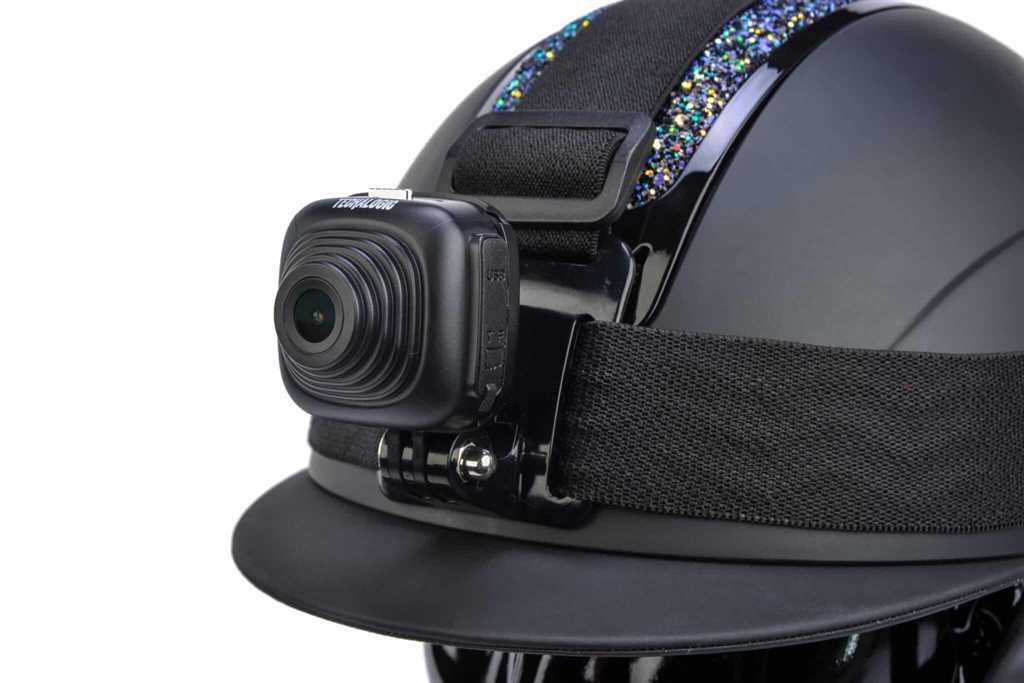
Secure mounting and a clear view.
Using your camera
A few practical habits make recording easier to keep doing.
Build your routine around three moments: before you leave, while safely stopped and after the ride.
Secure mounting and a clear view.
Charge, card, clock and recording status.
Save useful files and prepare for the next ride.
Charge the camera and use a suitable memory card. Check date and time, lens cleanliness and available recording space according to your camera manual.
Confirm the mount is secure, the required lens views are clear and the fitting follows the helmet or bike manufacturer's guidance. Check recording status before moving.
A different jacket, saddlebag or camera angle can change what gets recorded. Make a short test clip from your normal riding position.
Review both views on a dual-lens camera. Check the camera has not moved during ordinary use and that clothing or luggage does not block a lens or light.
Stop somewhere safe before adjusting the camera or using its app. Learn the status signals for your model so checking it does not become a distraction.
If your ride needs additional power, use only the connection and weather-protection arrangement described for your camera. Plan around actual use rather than a maximum runtime figure.
Copy files you want to retain before loop recording replaces them. Check the copies and keep a backup before formatting a card.
Recharge and check the fittings ready for next time. If something is unclear, use the model-specific support page rather than guessing from another camera's instructions.
A reliable record of what happens around you.
Holme Road Offices, Holme Road, Yaxley
Cambridgeshire, United Kingdom, PE7 3NA
© 2026 Techalogic. Practical rider safety technology.